

Dimensions
A Dimension is a column that experiment results can be sliced by in the Explore analysis. Dimensions live under Data Management → Dimension.
Where to find this in the console
Data Management → Dimension. The page has a search box (Search by name) and a Create button.
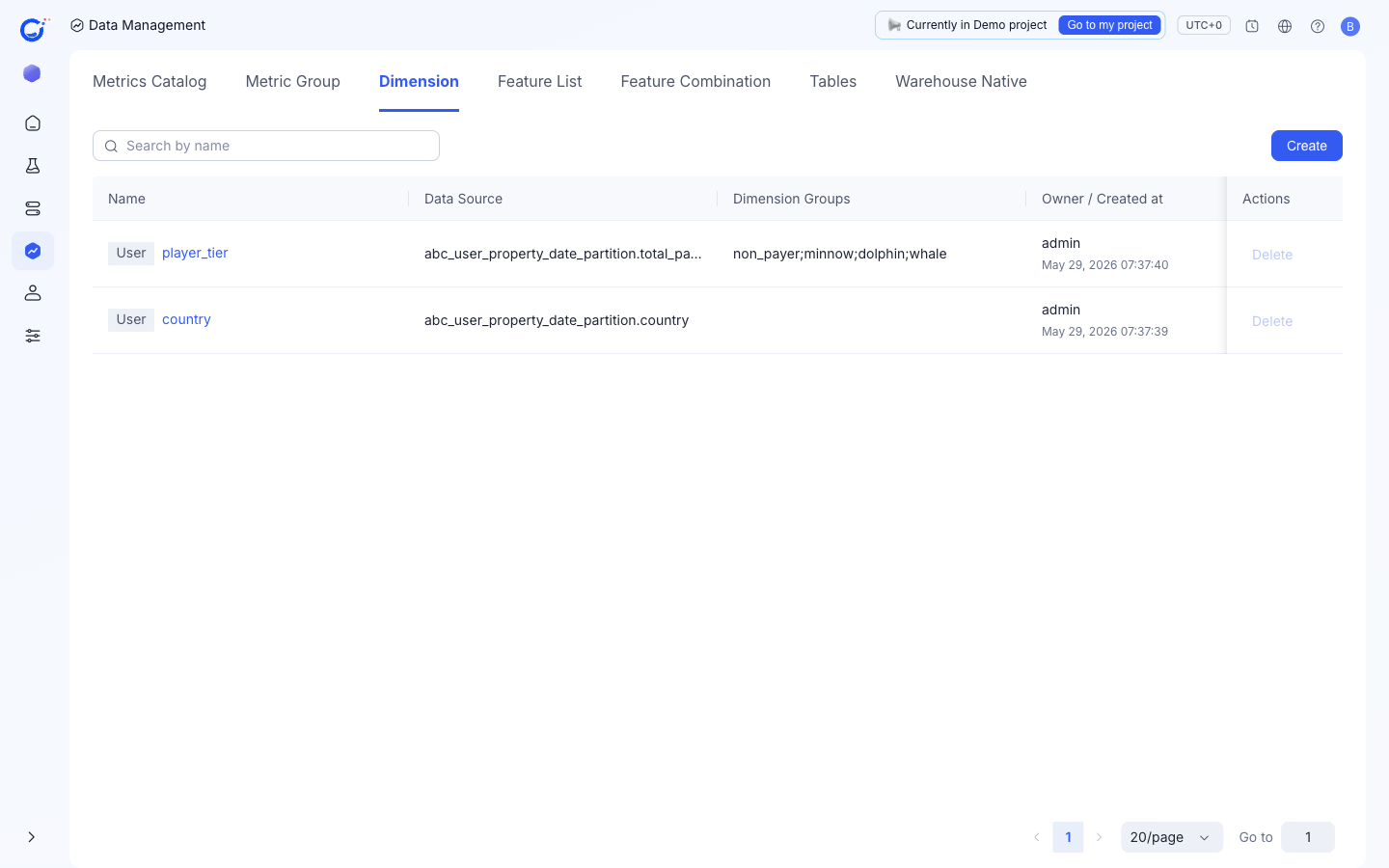
Columns shown
| Column | What it shows |
|---|---|
Name | The dimension name, tagged with its type (e.g. User). |
Data Source | The table and column it reads, e.g. abc_user_property_date_partition.country. |
Dimension Groups | Buckets defined on the dimension, e.g. non_payer;minnow;dolphin;whale. |
Owner / Created at | Owner and creation time. |
The only row action today is Delete.
Create a dimension
Create opens the Create explore dimension dialog:
Name— the dimension name.Data Source+Fields— the source table and the column to read.Dimension Type— "Determined by the data source", one of:User Attribute— for example, name, version number, app type (read from a User Property Table).Event Type— for example, page ID, scene ID (read from a Fact Table).
Dimension Groups (Optional)— use+ Add Dimension Groupto bundle several values into one bucket so Explore compares groups instead of every raw value.
Confirm with Confirm or discard with Cancel.
Where dimensions show up
- In the Explore view of an experiment result, where you pick which cut to compare.
- As candidate sub-populations in HTE (Heterogeneous Treatment Effect) Analysis.