

Metrics Catalog
The Metrics Catalog is the canonical list of every metric in a project. Experiment owners pick from this list when they choose primary and secondary metrics.
Where to find this in the console
Data Management → Metrics Catalog. The page has a search box (Search by metric name/owner), a Documentation link, and a Create button.
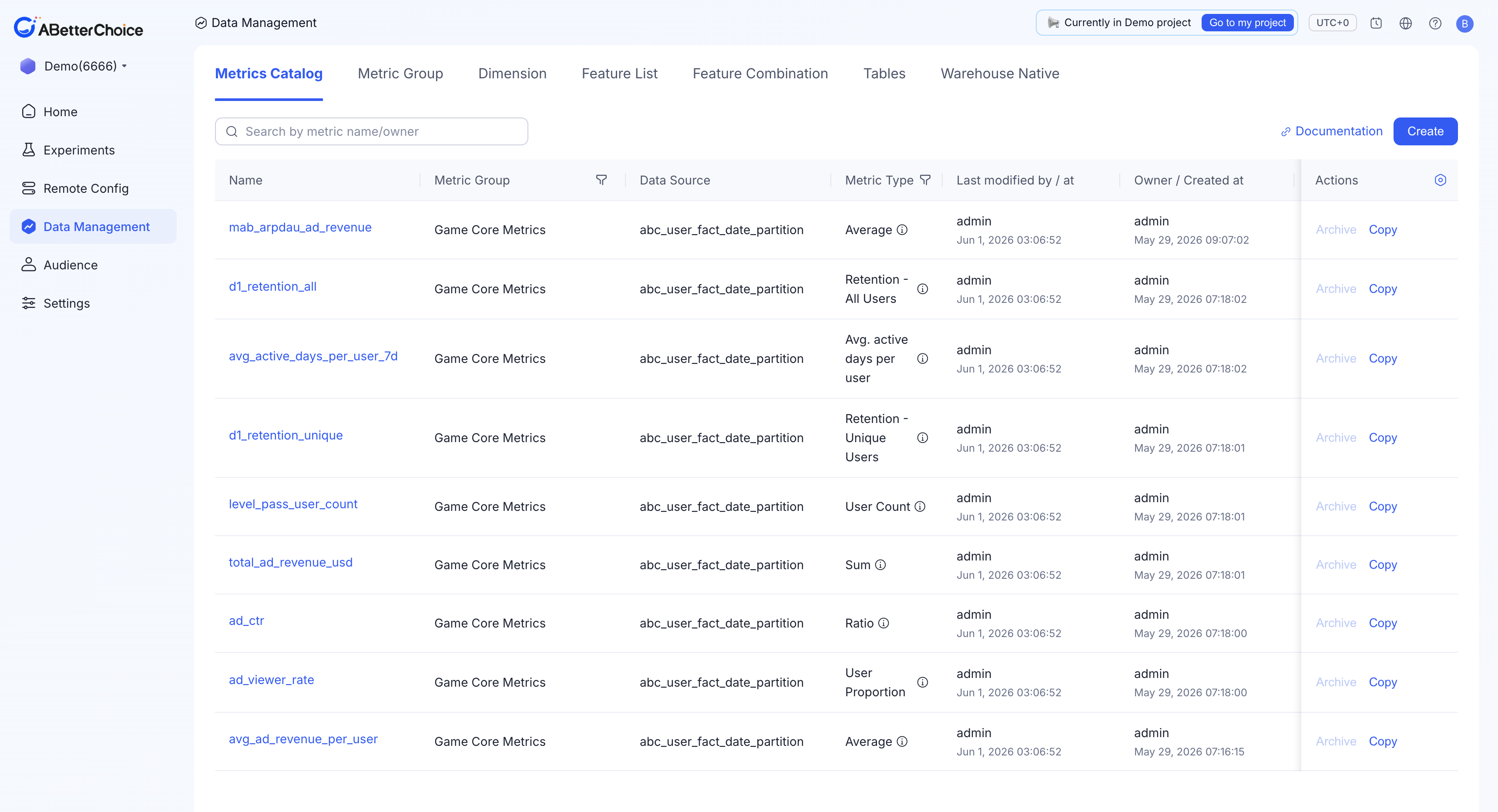
Columns shown
| Column | What it shows |
|---|---|
Name | The metric identifier used in experiments (letters, numbers, and underscores only). |
Metric Group | The group the metric belongs to, e.g. Game Core Metrics. |
Data Source | The registered table the metric is computed from, e.g. abc_user_fact_date_partition. |
Metric Type | The field aggregation, e.g. Average, Sum, Ratio, User Count. |
Status | Active until you archive it. |
The list also carries Last modified by / at and Owner / Created at columns. The Metric Group and Metric Type headers each have a funnel icon you can filter by.
Actions on a metric
Archive— retire a metric. It disappears from the metric picker in new experiments while historical experiments keep their definition.Copy— seed a new metric from an existing definition.
Create a metric
Click Create to open the Create a New Metric form. It has two sections — 1. Basic Information and 2. Metric Configuration. See Metric Sources for the source table and aggregation, and Metric Types for the available aggregations.