

Metric Group
Metric Groups keep the catalog navigable as the number of metrics grows. A group is visible in the Metric Group column of the Metrics Catalog and as its own tab under Data Management → Metric Group.
Where to find this in the console
Data Management → Metric Group. The page has a search box (Search by metric group name) and a Create button.
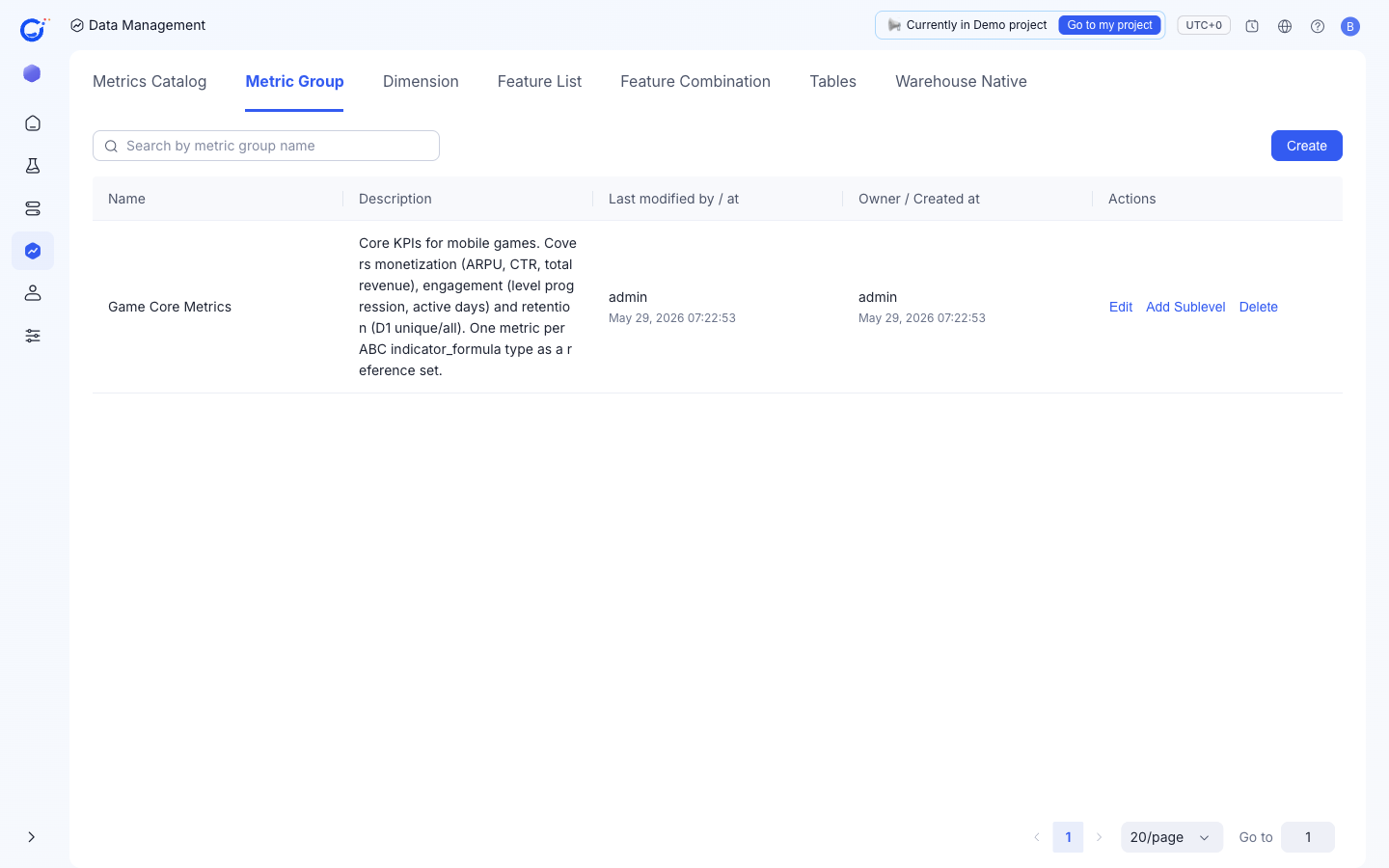
Columns shown
| Column | What it shows |
|---|---|
Name | The group name, e.g. Game Core Metrics. |
Description | What the group covers. |
Last modified by / at | Who last changed the group and when. |
Owner / Created at | The group owner and creation time. |
Actions on a group
Edit— change the group's name, description, or owner.Add Sublevel— nest a child group so teams can model an existing taxonomy (Growth → IAA → Ad Format).Delete— remove the group.
When to create a new group
- A team boundary already exists in your organization (Growth, Monetization, Quality).
- A specific experiment program owns a curated set of metrics and you want them in one place.
A metric is assigned to a group through the Metric Group field on the Create a New Metric form.