

维度
Dimension(维度) 是一个可在 Explore 分析中用来拆分实验结果的列。维度位于 Data Management → Dimension。
在控制台的位置
Data Management → Dimension。页面上有搜索框(Search by name)和 Create 按钮。
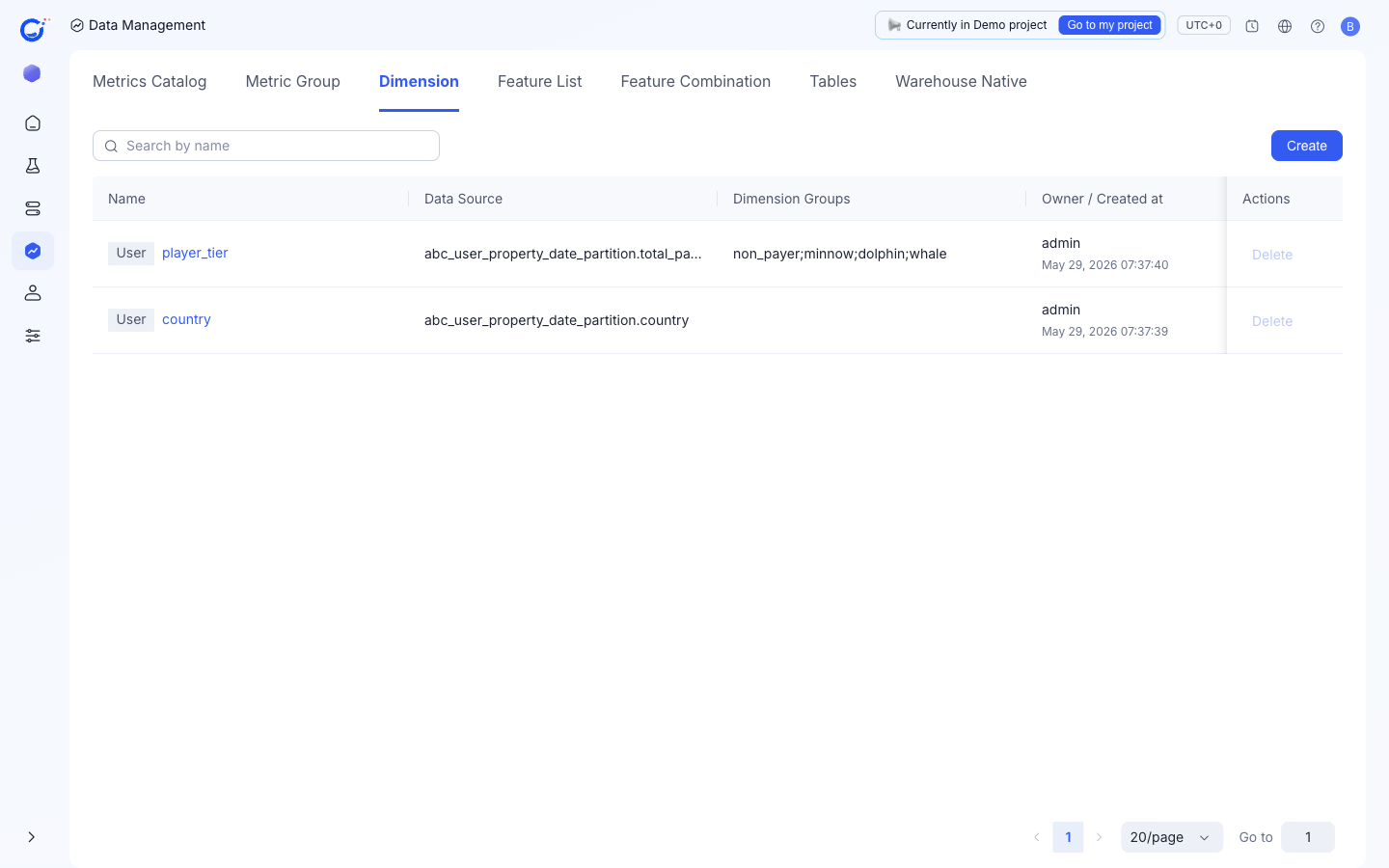
列说明
| 列 | 含义 |
|---|---|
Name | 维度名称,带有类型标签(例如 User)。 |
Data Source | 它读取的表与列,例如 abc_user_property_date_partition.country。 |
Dimension Groups | 在该维度上定义的分桶,例如 non_payer;minnow;dolphin;whale。 |
Owner / Created at | 所有者与创建时间。 |
当前唯一的行操作是 Delete。
创建维度
Create 打开 Create explore dimension 对话框:
Name—— 维度名称。Data Source+Fields—— 来源表与要读取的列。Dimension Type—— "Determined by the data source"(由数据源决定),二选一:User Attribute—— 例如 name、version number、app type(读自 User Property Table)。Event Type—— 例如 page ID、scene ID(读自 Fact Table)。
Dimension Groups (Optional)—— 用+ Add Dimension Group把多个值打包成一个分桶,让 Explore 对比分组而非每个原始值。
用 Confirm 确认,或用 Cancel 放弃。
维度在哪里出现
- 实验结果的 Explore 视图中,你在那里选择要对比的拆分口径。
- HTE (Heterogeneous Treatment Effect) Analysis 中作为候选子群体。