

Feature Combination
A Feature Combination packages several features into one named, reusable set. It is the unit an experiment's HTE (Heterogeneous Treatment Effect) Analysis consumes — instead of attaching features one by one, you point the analysis at a single combination. Combinations live under Data Management → Feature Combination.
Where to find this in the console
Data Management → Feature Combination. The page has a search box (Search by keyword) and a Create button.
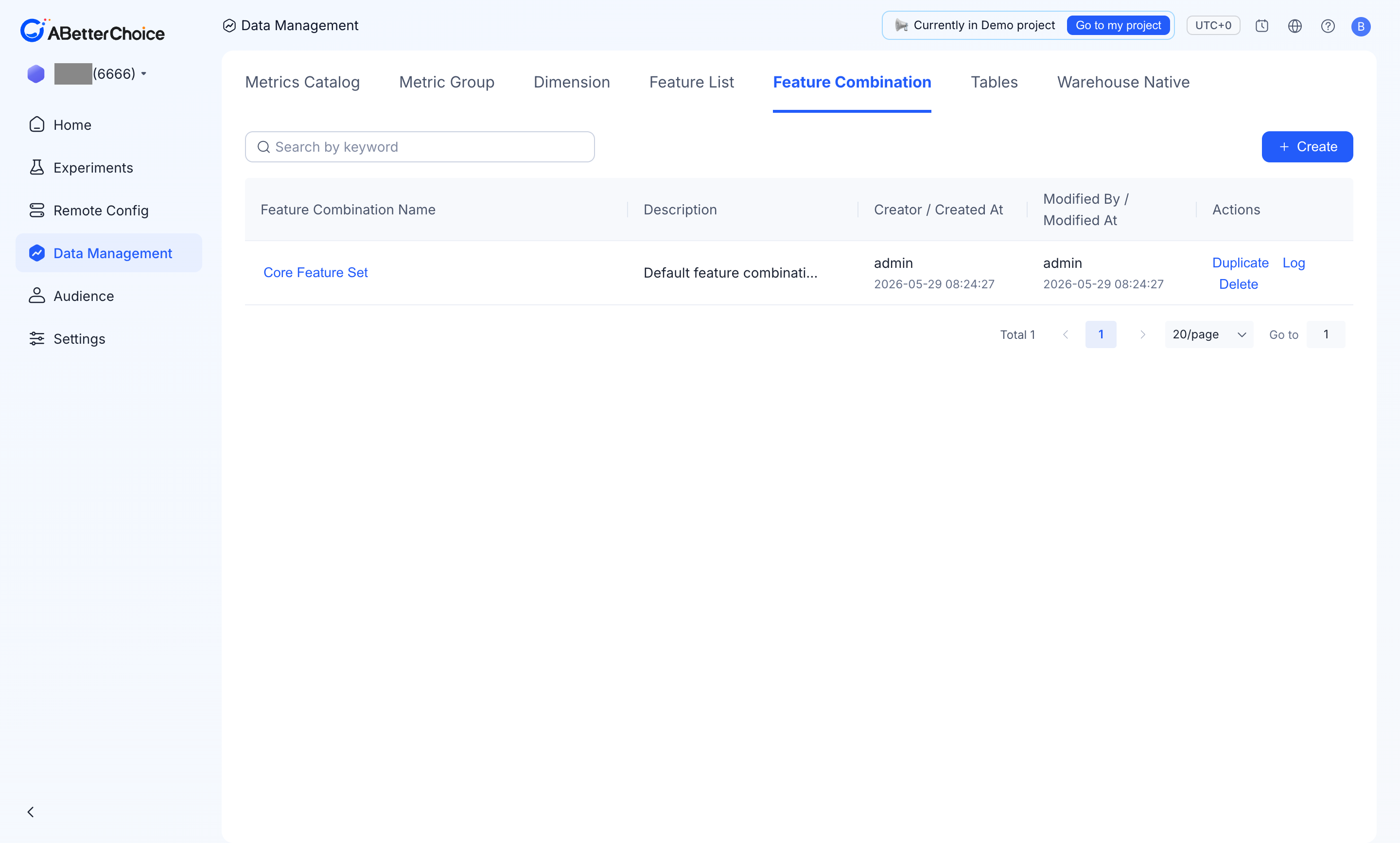
Columns shown
| Column | What it shows |
|---|---|
Feature Combination Name | The combination name. |
Description | A free-text note explaining what the bundle is for. |
Creator / Created At | Who created it and when. |
Modified By / Modified At | Who last changed it and when. |
Actions | Duplicate, Log, Delete. |
The demo project ships one combination, Core Feature Set, described as the default bundle for HTE analysis — it includes country, device platform, player value tier, max level passed, and ad engagement.
Row actions
- Duplicate — copy the combination as a starting point for a new bundle.
- Log — open the Activity Log panel, which lists each change as operator + action (
Create feature/Modify feature) + timestamp. - Delete — remove the combination.
Create a combination
Create opens the Create Feature Combination dialog:
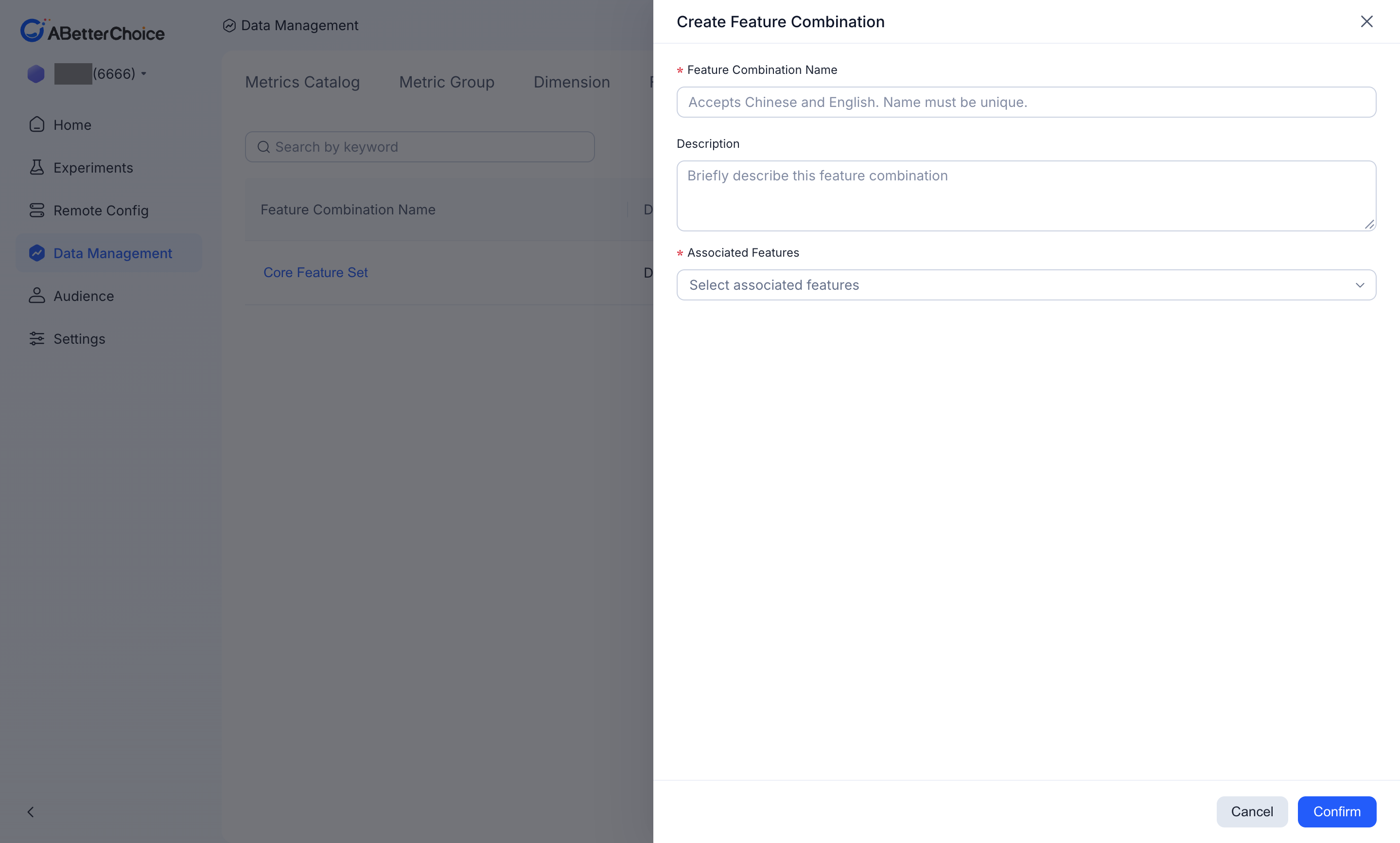
Feature Combination Name(required) — accepts Chinese and English; the name must be unique.Description— a short note describing the bundle.Associated Features(required) — multi-select of existing features to include.
Confirm with Confirm or discard with Cancel.
When to use a combination
- The same set of features should drive HTE analysis across many experiments — define the bundle once and reuse it.
- You want a single object to govern, version, and audit (via
Log) instead of several loose features.