

Warehouse Best Practices
This page records operational practices that pay off as experiment volume grows on a single warehouse connection.
Partitioning
- Partition fact and assignment tables by the time grain ABetterChoice reads them at — typically daily — so each scheduled refresh prunes to the partitions it needs.
- When you register a table, set its
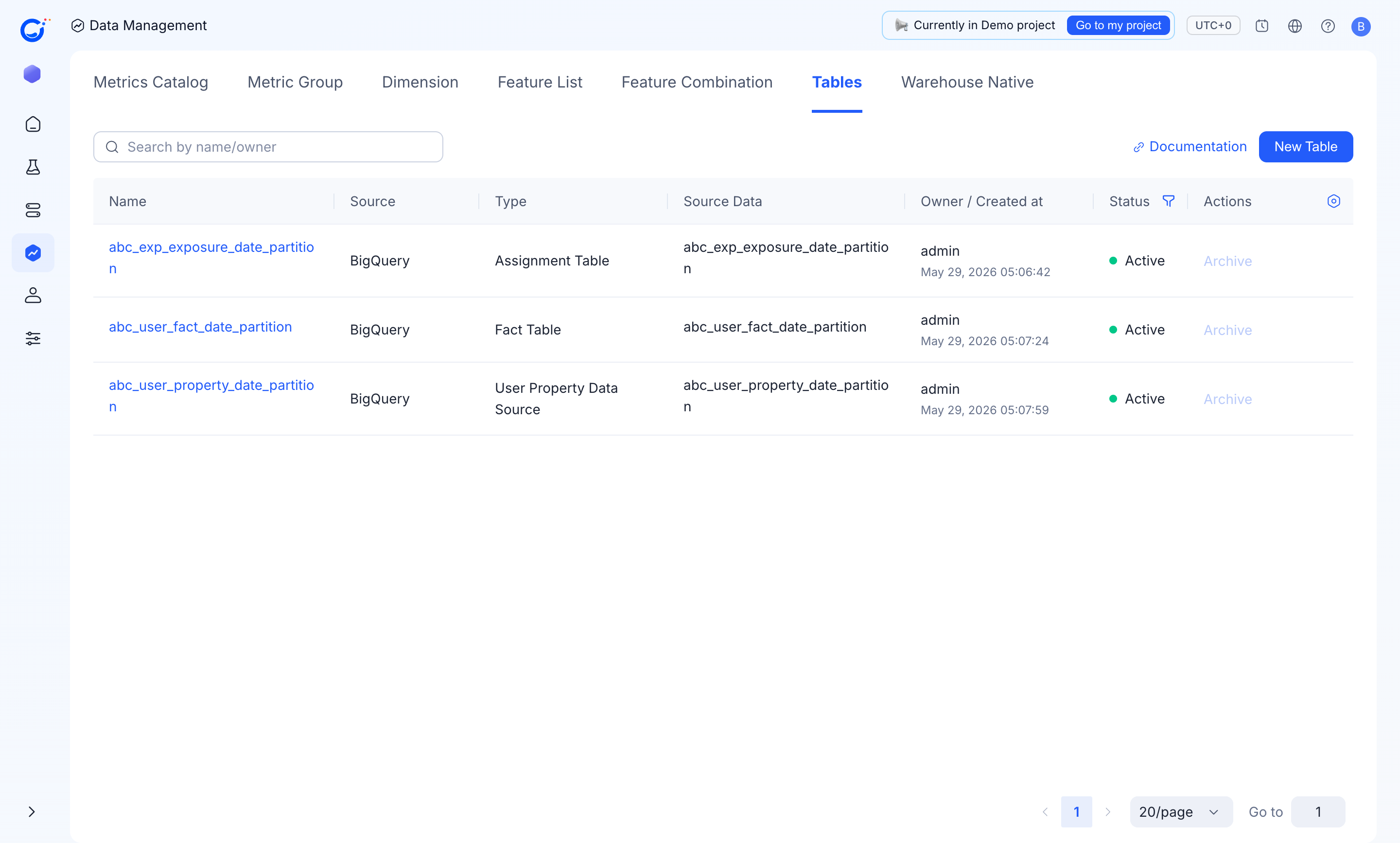
Partition Field(for exampleds) and matchingPartition Field Type(Date/Timestamp/Datetime) so the engine can prune partitions. See Defining tables for the field reference. - The demo project follows this pattern across all three table types — the assignment, fact, and user-property tables are each partitioned by date:
Pre-aggregation
- For very large fact tables, build an upstream daily roll-up table and register that table as the metric source instead of the raw event table.
- Keep the roll-up's grain at "user × day × event-of-interest" — finer grains rarely add statistical power.
Incremental refreshes
- Lean on the warehouse's incremental update features (table-level
MERGEs, materialized views) to avoid full scans on every result refresh. - When the underlying fact table is append-only and date-partitioned, the scheduled refresh naturally touches only recent partitions.
Governance
- The connection runs as a single Business Account that a platform proxy account impersonates. Keep the impersonation grant scoped to the dataset used for assignment tables and analysis data — nothing wider.
- Treat the analysis dataset as production: lock down DDL, enable backups, and set a retention you can defend.
- Only grant Dataproc permissions when your team uses HTE Analysis; leave that surface unconfigured otherwise.